Inferno Change List
Posted: 2012-04-24 Filed under: eveonline, industry, market | Tags: amarr, drake, incursus, inferno, merlin, punisher, rifter, rigs, stealth bomber, tormentor, v3 7 CommentsTest builds are being deployed. I will attempt to keep a master list here so bookmark and refresh this post.
Patch Notes [link]
Patch Size: ~1.04 GB
Game of Drones:
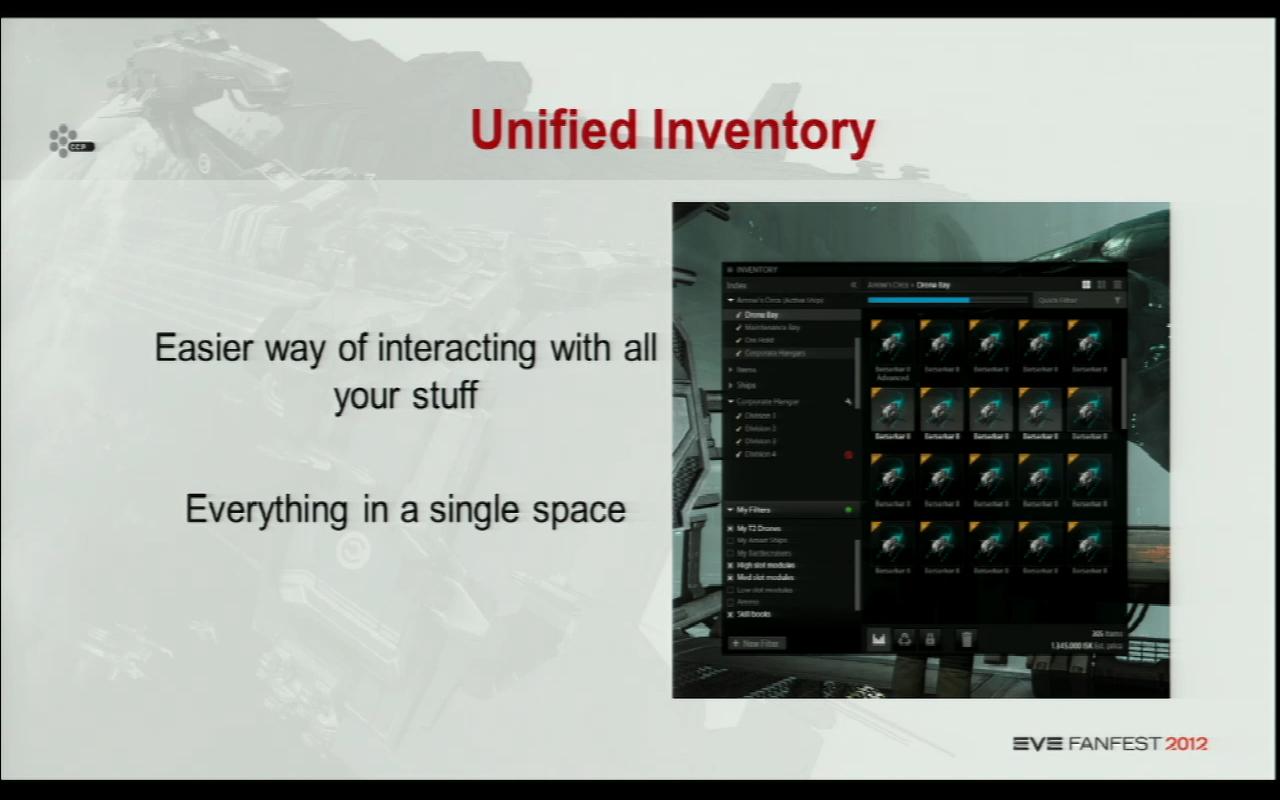
Revamped the Inventory:
This affects:
– Managing corporation items in a station
– All item management from POS structures done in space on grid
– All Inventory management in space (wrecks, opening other ship locations, etc)
– All Inventory management in stations (items, ships)
– This change does NOT affect the ASSETS windowRevamped FW:
– LP for kills
– Bunkers are now infrastructure hubs
– LP for all FW actions (capturing complexes, capturing infrastructures hubs, etc)
– New FW front page
– Consequences for capturing systems/regions (benefits for you, grief for your enemy)
– Capturing FW system affect SOV ownership
– Map filters for FW have been revampedTriLambda:
• New missile launchers and launch effects
• New missiles, trails and explosions
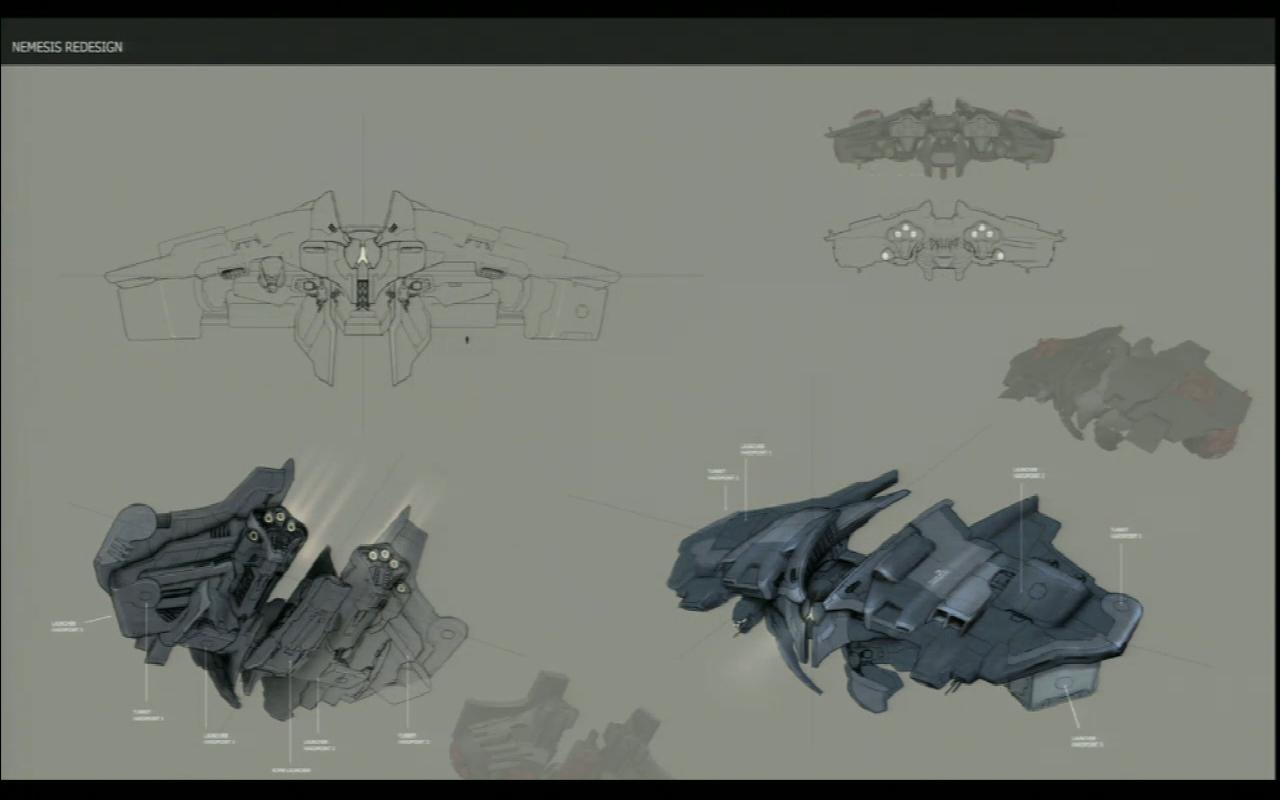
• New Stealth Bombers
o Manticore
o Nemesis
o Purifier
o Hound
• Amarr V3
o All sub capital Amarr ships, excluding T3 cruisers.Avatar:
“14 different skintypes have been added to the Character Creator. This allows all bloodlines to have a wide range of skincolors.
These skintypes replace the previous skintones that allowed players to modify their skincolor a little bit.
A character can keep his/her current skintone, but as soon as a skintype has been applied and the character saved, one of the new skintypes has to be used.The skintypes can only be applied with full recustomization, that is when you also have the option to resculpt your character, but the plan is to give everyone an optional full recustomization when this goes on TQ.”
Super Friends:
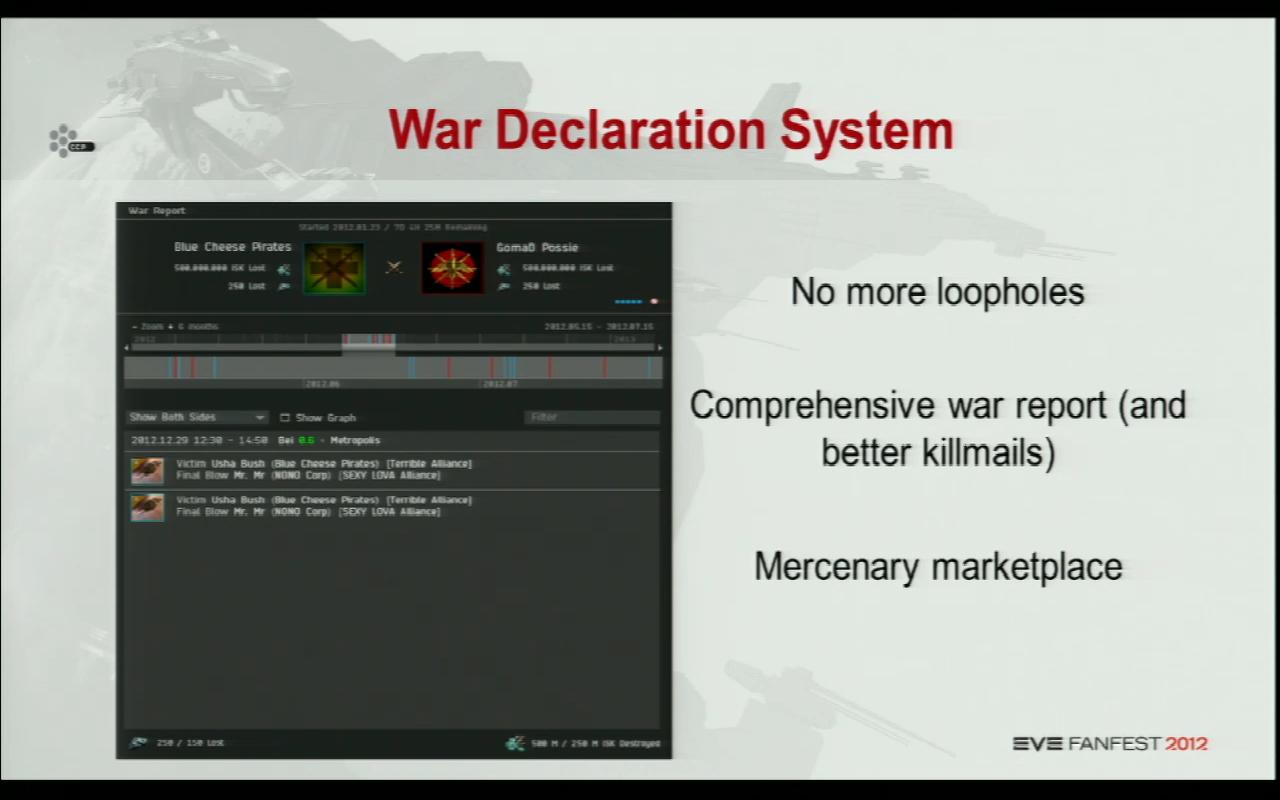
• Updated Kill Reports (aka Kill Mails)
• Different war cost
• Corp CEO/Director declares wars, no voting required
• Alliance wars transfer to corps leaving
• No automatic war retraction by aggressor
• Wars last for week by default
• Either side can offer surrender in a war
• The defending side can get allies to help
• There is a place for people to find prospective allies/clients
• Players can now more easily track the war in the War Report
• All corps have publicly viewable war history
• Drone Damage module (Extrinsic Damage Amplifier)
• CPU Rigs (Small/Medium/Large Processor Overclocking Unit)
• Fueled Shield booster (Small/Medium/Large Ancillary Shield Booster), using Cap Boosters as charges
• Light and Medium Web drones
• Resistance shifting armor hardener (Armor Adaptive Hardener)
link
Confirmed
1. Frigate Rebalance [link]
Tormentor, Punisher, Merlin, Incursus, and Rifter changes.
2. New Modules
From Soundwave’s presentation at Fanfest, it sounded like the following modules are going to be included in Inferno. So far we only have this slide from FanFest and a long forum posts. [44:24]
Micro Jump Drive — Perhaps soon:
This list isn’t feature complete – more will come with time!
CCP Goliath link
Drone Damage module (Extrinsic Damage Amplifier)
CPU Rigs (Small/Medium/Large Processor Overclocking Unit)
Fueled Shield booster (Small/Medium/Large Ancillary Shield Booster), using Cap Boosters as charges
Light and Medium Web drones
Resistance shifting armor hardener (Armor Adaptive Hardener)

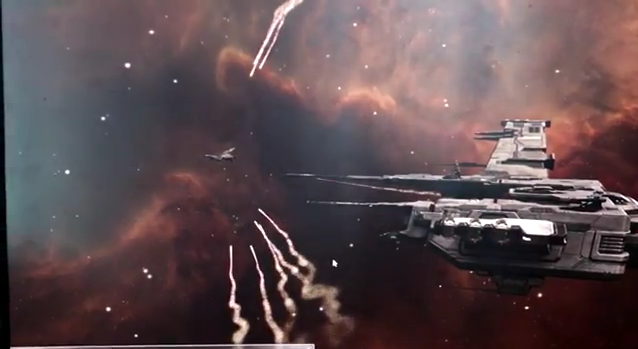
3. Missile Effects [link]
Youtube video starting at 3:30.
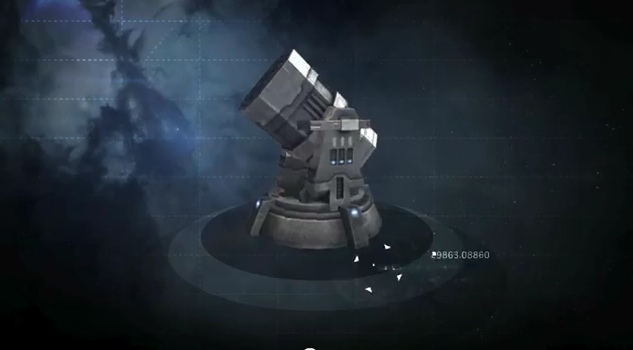
4. Missile Launchers [link]
5. Updated Kill Reports and War Reports
[initial concept devblog]
[updated devblog]
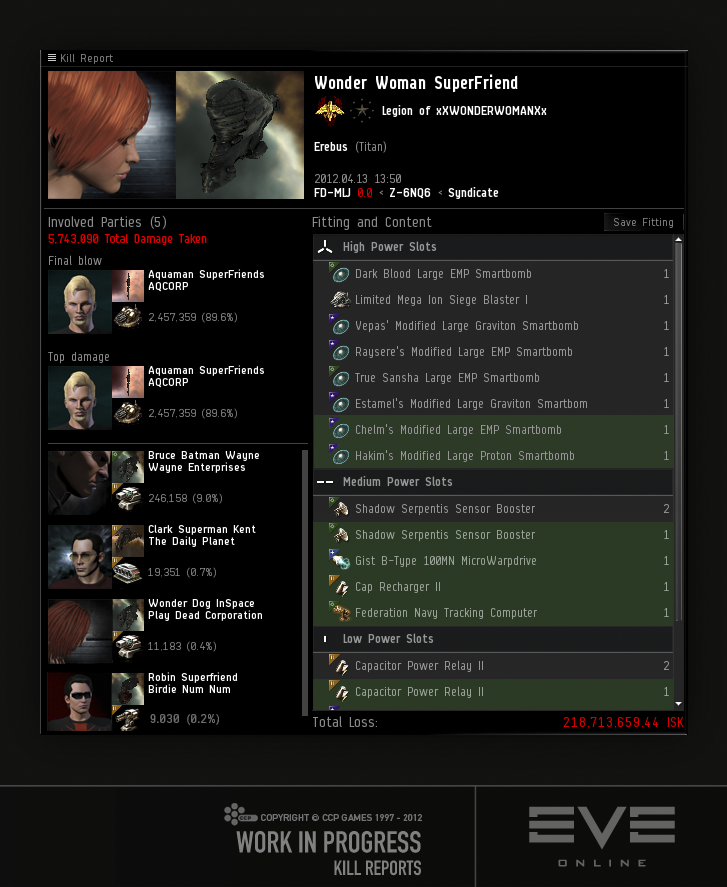
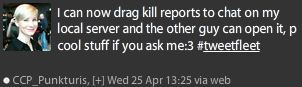
For a while, we’ve been talking about global killboards and all the awesome stuff that comes with it (leaderboards, weekly contests etc). Linking killmails in chat to other players means that you’ll effectively have access to that data, making our global killboard project slightly problematic. That, coupled with some security concerns means that we’ll have to withdraw linking killmails ingame.Just to make it clear, we’re not pulling this feature because we don’t want you linking killmails, we’re pulling it because we have concerns about the impact on our global killboard project and making this massive amount of data available in a more graceful manner in terms of security etc.
It makes me sadface, but hopefully the tradeoff will be a better system down the road.
CCP Soundwave linkWe fixed everything. You can now link killmails in chat! Thank Tuxford and Punkturis.
CCP Soundwave link
6. Unified Inventory UI [devblog]
7. Amarr v3 Ship Updates [preview youtube]

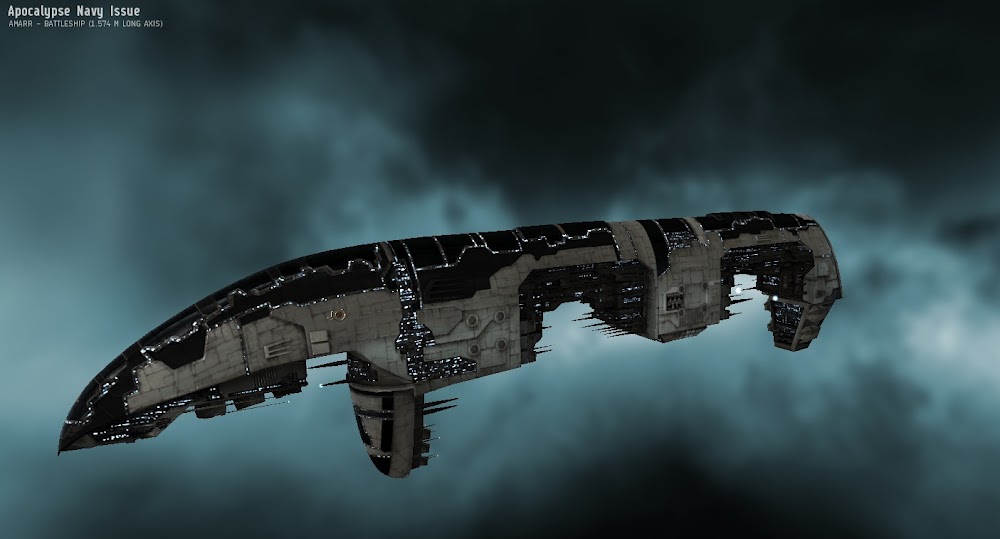

8. Updated Ship Models
Stealth Bombers
[unofficial renders on youtube]
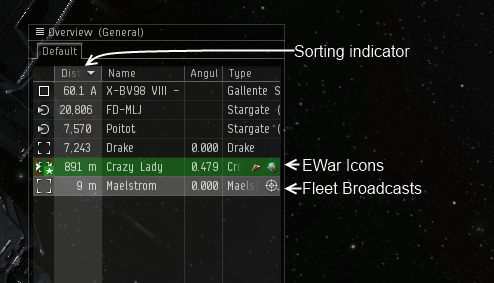
9. Overview Fading [link] Included in Escalation
10. War Mechanic Updates [devblog]
11. FW Changes [devblog]
Without going into exhaustive detail:
1. Cannot dock in stations that are in systems controlled by an enemy
– Example: Minmatar cannot dock in stations in a FW system controlled by the Amarr/Caldari
– You also cannot use station services if you docked before system flipped
– Ninja Edit: This does not affect neutrals2. There are 5 levels of discounts for a number of different things – if you own the system and have upgraded it
– Medical clone discounts (from 10% in increments of 10 up to 50% discount)
– Number of assembly lines increases by 1 for every level
– All broker fees discounted (from 10% in increments of 10 up to 50%)
– NOTE: You only get these discounts in the FW system
– ADDENDUM: These discounts apply to neutrals not in FW3. Militia store LP prices are affected by faction wide performance (discounts in increments of 10%)
– Note that Datacores have been split and moved in FW LP stores
– Pending implementation, LP gain increase for all ways in which LP can be gained in FW – FW Kills, FW Missions, Complexs etcI do believe these are the most prominent consequences implemented/pending.
CCP RubberBAND link
12. War Costs
SoniClover stated earlier in this thread that the war cost formula on Sisi now is really old, we’ve updated it since internally and the new version should be on Sisi soon.
CCP Punkturis link
Unconfirmed/Tinfoil
1. Drake Rebalance
2. Titan Rebalance
3. Technetium Rebalance
Pushed Back
1. Destroyer and Battlecruiser Skill Rebalance
There will be no skill change for Inferno. Your destroyer and battlecruiser skills are safe for now. Battlecruisers will have to wait until we have rebalanced frigates and destroyers to have something clean to compare them with.
CCP Ytterbium link
2. Armor and Shield Rig Rebalance [link]
In conclusion, this is just too much controversial / poorly thought to be a first step to anything, we need to take a step back, breathe, and have a look at the whole passive versus active tanking situation through modules and ships as well as changing rigs before committing to more changes.
CCP Ytterbium link
Faction/Deadspace/Officer Market Opening Prices
Posted: 2012-04-24 Filed under: market | Tags: caldari navy, deadspace, faction, officer, republic fleet, sisters 4 CommentsThe Inferno market is open and with it comes the addition of Faction/Deadspace/Officer items. I expect module prices to mimic Faction ship prices and slowly go down as more traders enter the market and the 0.01 war begins.
Here are some early predictions.
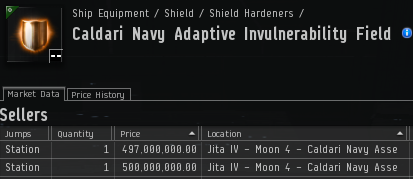
CN Invuls will go down in price due to competition and the desire for the recently added higher Meta Deadspace variants. In January these were trading at 524M.
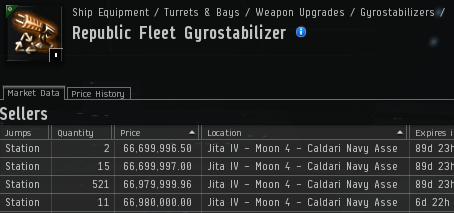
We’re going to see the sheer scale of some module empires now that we have increased visibility into the market. For example there is a 34.89 B order up @ 66.979 M for Republic Fleet Gyros.
I expect common Faction items like Sisters Expanded Launders to drop in price and then rise as people manipulate this high volume item.
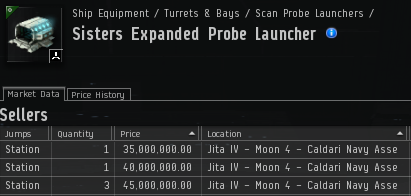
This is a great time to be a trader and I expect the market to reach an initial stable period in a few weeks as existing contracts expire.
Mobile Trading
Posted: 2012-04-19 Filed under: market, screenshot | Tags: ajax, android, api, c2dm, html, opera, sdk, xml 6 CommentsThe Procyon Holdings (PROHD) name is expanding again as we push out into another development area — the Android framework. When I abandoned my BlackBerry, the choice to move to the Android platform was an easy decision. Market saturation, the development community, and fluidity between devices make this platform shine.
I’ve been having a few end user problems with the current iteration of our trading website. First, the native Android Gingerbread browser lacks SVG support, an issue that has bewildered me since I read about it. I can solve this issue by using another browser such as Opera, but I would like to use the native one.
Also working with a HTML + Ajax website on a device with a touch interface feels like you are not getting the full user experience. I want to scroll down lists with my finder, click and hold to expose options, and speed around menus.
Mobile Architecture
We had to expand our design and create a few new pieces to get data to the mobile world. New items include the creation of a daemon to simply database population, exposing data via XML, and working with an existing library to enable Push notifications.
Information Flow
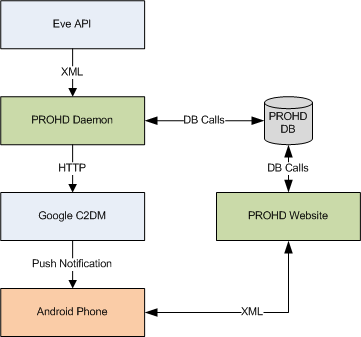 The Daemon runs on our server, periodically pulls transactions from the Eve API, and places that information in our wallet table.
Our previous design was that you would have to hit the transactions webpage and it would trigger an update. Getting a page to refresh on a desktop connected via broadband versus a mobile phone is quite the different experience.
Android has a framework called C2DM (Android Cloud to Device Messaging) which enables you to send lightweight push notifications to devices.
Our vision is that when a sell order clears, a large/special sale has occurred, or a significant milestone has been reached, we send a notice. This will be visible on phone’s Status Notification Bar and cause me to act if deemed important. I have been forgetting to buy or trade a particular item after the sell orders have cleared. Forget things — lose profit.
Getting data out of our database required the creation of a webservice to produce XML output from our wallet table.
Here is an example of the sale of one item in our XML feed:
<?xml version="1.0"?>
<TransactionList>
<Transaction>
<transactionDateTime>2012-04-19 06:21:04</transactionDateTime>
<typeID>21096</typeID>
<typeName>Cynosural Field Generator I</typeName>
<quantity>1</quantity>
<price>1948939.91</price>
<profit>147803</profit>
<stationName>STATION</stationName>
<icon>21096_32.png</icon>
</Transaction>
</TransactionList>
Alpha Screenshot
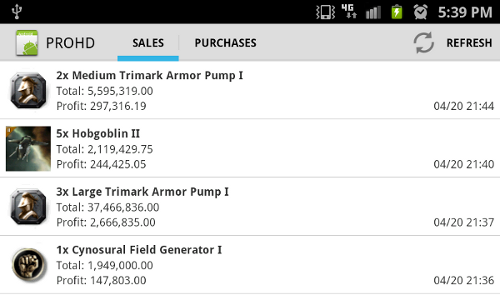
This screenshot is our first proof of concept. We’re able to get information from an XML feed, display it, and get/cache images from the Eve image server. Major credit goes to my trading and corporation partner James, who has been doing the development work and educating me on the Android framework.
There is a lot we want to do with the mobile version. Menus, tabs, charts, reports, and the ability to add items to a shopping cart/wish list are all things on the drawing board.
Future Collaboration
This project is our first exposure to the Android framework and after the initial learning curve, we might perhaps coolabrate with the Aideron Robotics team on Aura. So maybe some of our trading mechanics will make their way into the Aura application.
Working with Eve Static Data
Posted: 2012-04-13 Filed under: eveonline, industry | Tags: api, drake, eve, itemID, mysql, PI, sql, typeID 14 CommentsMore Power to the People
The propose of this short guide is to empower a person that has limited or no experience working with the Eve dataset to perform queries and extract useful information.
Eve has two main data sets. The first is the static data that is published by CCP and updated with each expansion. This set contains information that doesn’t change such as stargate coordinates, number of Moons in VFK-IV, type of research agents in the Forge, or the minerals requirements for a Drake.
The other set is the dynamic data, which is exposed through the API. This data contains the types of assets you own, wallet transactions, or kill statics for a particular system — things that change and things that go boom.
In this post I won’t be covering the dymanic data, as the Eve Development Network as an excellent introduction guide and full list of everything exposed.
More Data, More Problems
With every new release, CCP publishes a Microsoft SQL database backup file of their static data. You can find the most up to date file on the Community Toolkit website.
Along with the database backup, you will find other useful downloads such as images for every item in Eve — very important when trying to create something presentable out of boring database tables if you are designing a 3rd Party application.
Some people do not use Microsoft SQL and opt to run their database with MySQL, the most popular opensource database package. This format is not released by CCP and thus enterprising players routinely convert the data from Microsoft SQL to MySQL format. Nothing is lost, just converted.
Usually a few hours after a new file has been posted on the Community Toolkit site, people have conversions up for download. If you hang out in the Eve Technology Lab sub-forum, people will usually post links once available. I have been getting my releases from this site: http://zofu.no-ip.de/.
Install Procedure
Noise. has written an excellent guide on how to install the free version of Microsoft SQL Server and work with CCP’s database backup file in order to get to a point where you can run a database query.
Table Prefix Nomenclature
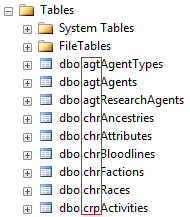
The naming format of the tables is very intuitive and can be picked up fairly quickly.
Example Tables
| agt | all about agents both mission and research |
| chr | character information such as bloodlines, factions, and races |
| crp | NPC corporation divisions |
| crt | certificates |
| dmg | damage attributes, effects, dogma (attribute system) |
| eve | basic information for icons and units |
| inv | market groups, item details, item reactions. I do a lot of work with these tables |
| map | xyz data, landmarks, regions, solar systems connections, and general universe data |
| planet | planetary interaction schematics |
| ram | industry, manufacturing, refine |
| sta | station services, xyz docking locations |
| trn | multilingual stuff |
| war | faction warfare |
Tips and Tricks
An item’s typeID is a very important thing to know. This is a unique number that identifies a type of object in Eve.
Keep in mind that referring to a Drake (typeID 24698 in the static dataset) will be different than referring to your Drake (unique itemID 1002615059065 in the API feed). The itemID value is a unique number that identifies every object in Eve (1).
Eve Queries 101
Drake Details
SELECT *
FROM [dbo].[invTypes]
WHERE typeID = 24698
GO
List all Battlecruisers
SELECT *
FROM [dbo].[invTypes]
WHERE groupID = 419
GO
Eve Queries 201
PI Schematics are contained in the planetSchematicsTypeMap self referencing table. This means that the build requirements for P0, P1, P2, and P3 are all contained in one table. The isInput column is used to list build requirements when set to 1.
1. Listing all P0 items using the isInput value set to 0.
SELECT planetSchematicsTypeMap.*, invTypes.typeName FROM planetSchematicsTypeMap
JOIN invTypes ON (planetSchematicsTypeMap.typeID = invTypes.typeID)
WHERE planetSchematicsTypeMap.isInput = 0
AND invTypes.marketGroupID = 1335
ORDER BY invTypes.typeName
2. Listing items that go into Construction Blocks, a P1 with typeID 3828 and schematicID 74.
SELECT planetSchematicsTypeMap.*, invTypes.typeName
FROM planetSchematicsTypeMap, invTypes
WHERE planetSchematicsTypeMap.typeID = invTypes.typeID
AND schematicID = 74
AND isInput = 1
Eve Queries 301
CCP’s dataset does not contain a table with Tech2 build requirements. We have to create a new table that combines information from a number of tables and then work off the new table.
1. Run this pastebin query once to create your new typeBuildReqs table. If successful, you will get a message like this:
(15791 row(s) affected).
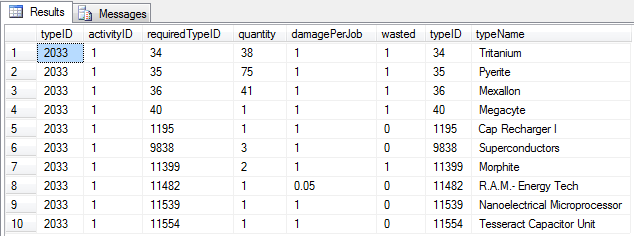
2. Find the build requirements for a Cap Recharge II with input typeID of 2033 (Cap Recharge II Blueprint). The NOT IN statement excludes the skills required to build the item.
SELECT typeBuildReqs.*, invTypes.typeID, invTypes.typeName FROM typeBuildReqs
 JOIN invTypes ON (invTypes.typeID = typeBuildReqs.requiredTypeID)
 WHERE typeBuildReqs.typeID = 2033
 AND invTypes.groupID NOT IN (268,269,270)
 AND activityID = 1
Moar!
If you want some more example queries, comment or find me on twitter.
(1) If you remember that old Devblog post about Drake missile lag, one major component to the lag was that every missile fired had to have a unique itemID created and destroyed after it exploded. This database operation ate up a lot of time, which is critical to a simulation trying to play through a battle.
Inferno Escalation Test Server Changes
Posted: 2012-04-12 Filed under: eveonline, industry, market, ships | Tags: bomber, deadspace, drone region, engine trails, etherium reach, ewar, faction, hud, market, officer, overview, sisi, titan 7 CommentsBuild 362741 has been pushed to the test server, with a branch name of Tranquility. I will attempt to keep a list of changes here so bookmark this post.
Preliminary Size: 306 MB
Launcher update to 1.202
I was prompted for a DirectX install after the Launcher updated.
[Update April 12 13:12]
CCP Goliath non-comprehensive feature list post.
Team Five-0
Security status of drone regions has been rebalanced
Rogue drones no longer drop loot, but have bounties
Incursion site rebalancing
Behind-the-scenes work on aggression flagging, killmails, etc.
Loot-rights UI – container colouring should be more consistent when owners log off/jump/dock
Current iteration of titan changesTeam Gridlock
New file format for objects, with faster loading timesTeam Avatar
Buff bar notification panel implemented beside HUD
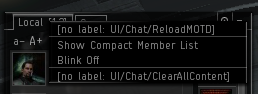
Chat channels can now be locally cleared and the MOTD reloaded
Your own market orders can now be highlighted. To enable this, a setting checkbox needs to be checked in the market settings tab. The orders marked as yours have “modify order” option added to their menu
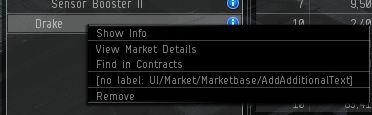
Quickbar entries can have text added to them
Your active ship will no longer show as available in Contracts
Deselect/Select all function added when arranging items in contracts
There is now a “Client” submenu in the transaction logs
A few improvements have been made to the quickbar in the market. Now items can be dropped on the quickbar tab, it’s possible to multiselect items in the quickbar, items in the quickbar can be “copied” over to another folder by CTRL dragging them to the folder, and now asset items can be added to the quickbar.
There is a new hairstyle available for female characters.
The ‘Pose’ icons within character creation and re-customization now display a clearer representation of the actual pose.
The “leaf” groups in the market can now be collapsed like all the other groups.
The most common user interface elements used to represent players can now be dragged over to various edit fields to add the characters name.
‘Select Station’ window for remote market orders now has 2 columns, station name and number jumps, and it’s possible to sort the list by either one of columns
Entries in most table like scrolls can be copied with CTRL+c. If entries are selected, only those will be copied, but if nothing is selected and the focus is on the scroll, all the entries are copied.
Hints that only repeated the text in the scroll entry been removed.
There is now a right click option on the group/category trace in market details which allows you to find that group in the browse tabTeam Superfriends
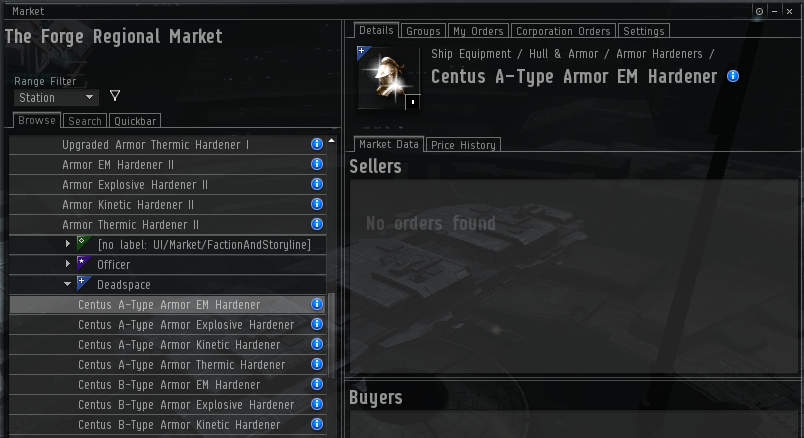
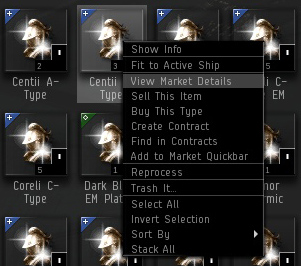
Market now shows Faction/Officer/Deadspace loot
Confirmed Changes
1. Officer/Deadspace/Faction on Market
2. Stealth Bomber V3 Update
Not on Test server yet.
3. Drone Rat Bounties
Drone Queen 1.85 M
Patriach 1.55 M
Drone Creator 1.4 M
Drone Ruler 1.25 M
Drone Controller 500k
Domination Drone 950k
Spearhead Drone 800k
Swarm Preserver 650k
Exterminator Drone 225k
Viral Infector 80k
Disintegrator 95k
Defeator 185k
Atomizer 110k
Violator 87.5k
Strain Splinter 25.5k
Crippler 195k
Striker Drone 205k
Nuker 117.5k
Siege Drone 215k
Dismantler 22.5k
Marauder 21k
Barracuda 13k
Devilfish 12k
Kalestra Cable link
4. Status Effects Notification Panel
Note: Remote Armor/Shield/Hull/Energy do not show up. Only E-war at this time.
Due to resource constraints we did a minimal implementation that is mean to be iterated on based on your feedback. Currently it is only tracking negative effects directed against you (debuffs). The plan is to include more things if this goes well and include assist modules and possibly even damage dealt to you.
The immediate goal is to make aggression against you visible and help you react to those that do. There is a lot we want to do more and we have scheduled time to iterate on this so please keep the comments coming
CCP Frellicus link
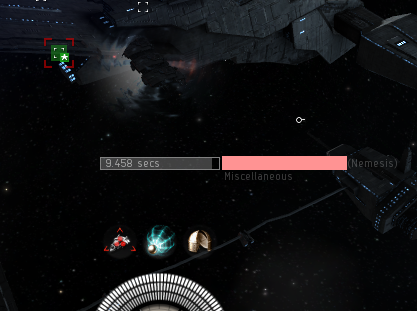
Additionally you can right click on the effect and get options for that pilot.

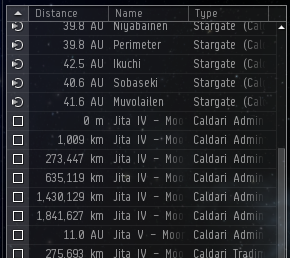
5. Text Trail-off Shading on Overview
It’s intentional and not… the fading is intentional, but it was not really supposed to go out in Escalation but Inferno and the change has been reverted for now. So soon you will see it change back to the way it’s on TQ.
CCP karkur link
FYI: This topic is being discussed by our UI designers and it seems like the amount of fading will be reduced a bit to avoid reducing the displayed information.
CCP Habakuk link
6. Rumored Drake Rebalance
No change.
7. Missile Launchers
Not on Test server yet.
8. Reload MOTD and Clear options on Chat channels
9. Drone Region Security Status Adjustment
Details in Carebearing 2.0 Devblog.
…worked out on by how close your are to empire, here is a sample of them
Kalestra Cable link
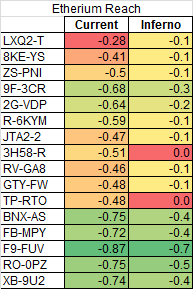
Etherium Reach got hit particularly hard because it was one of the best truesec regions in the game (-0.60 vs -0.64 for The Spire and Perrigen Falls, and just behind Deklein at -0.61, with the next-nearest non-drone region being Branch at -0.51), despite having a direct connection to Empire. It doesn’t have a hisec connection, so it’s more of a Tribute than a Pure Blind, but that’s balanced to some degree by having a connection to both Molden Heath and The Forge. It got the biggest adjustment because its sec values were the most out of line from what you’d expect anywhere else in EVE.
CCP Greyscale link further clarification
10. Engine Trail Consistency
Deimos now has blue trails.

11. Titan Adjustments
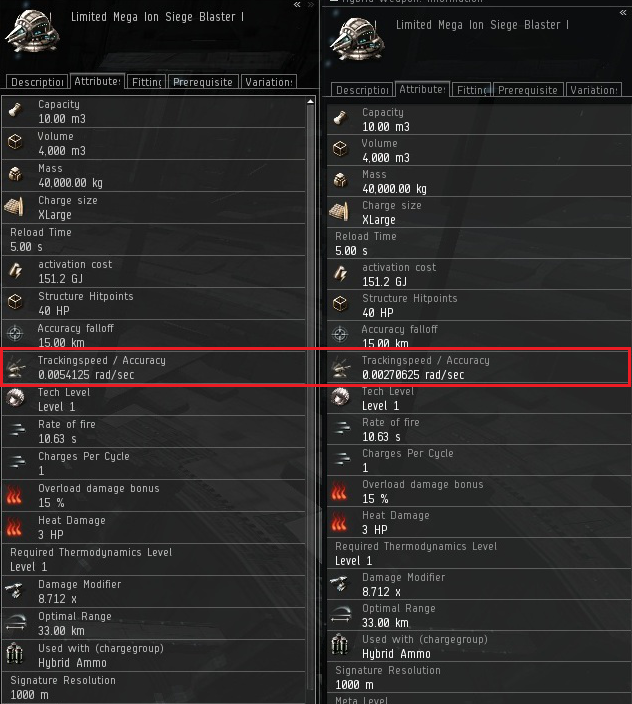
Current / Proposed
12. Market Order Highlighting
CCP karkur has confimed that this will be in soon(tm).
“Hmmm… no, the option is not there. It was checked in very recently and was integrated later. You should see it soon :P”
link
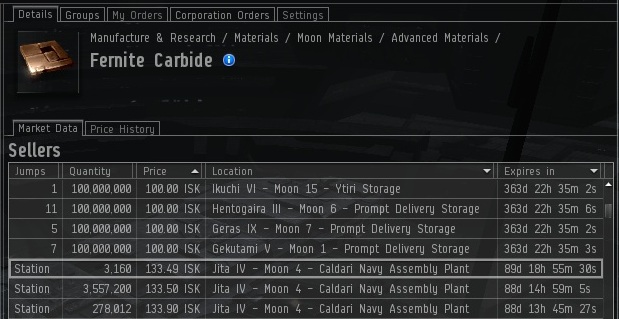
Looks like this made it into build 360692:

Looks a little rough. The highlight is a bar around your order. No editing done to the image below, just a crop.
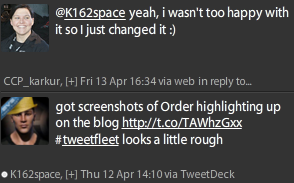
Looks like there will be a change coming:
2012-04-16 Updated:

13. Bug Reporting Bug
…there was a bug in the SSL initialization that made the client lock up for 30 seconds or so. It’s been fixed so now you can bug report like the wind 🙂
CCP Explorer link
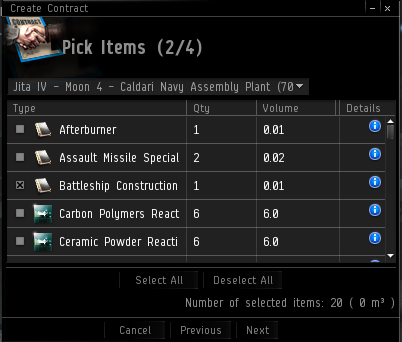
14. Contract Select
New buttons for Select All / Deselect All.
15. Rename Quickbar Item
16. Incursion Balancing
Yes, but I need to get more details on this.
Update: Find something new? Comment here or @k162space on twitter.
 k162space